
Download Wallpaper Designer – New Year wallpapers, custom wallpaper maker, Android wallpaper app, personal photo wallpaper, festive design tool
Overview
Wallpaper Designer – WWart is a lightweight, free desktop application tailored for Android users seeking to create personalized New Year-themed wallpapers. Designed with simplicity in mind, the software enables users to craft festive digital backgrounds that reflect individual style and seasonal spirit. The app addresses the common need for unique, visually appealing wallpapers that go beyond standard stock designs, especially during holiday periods like New Year’s Eve and the start of the year.
Targeted primarily at hobbyists and casual digital creators, the software appeals to users who enjoy personalizing their devices with creative, themed content. It is ideal for individuals who want to share festive designs with friends or simply refresh their device’s look with a fresh, custom touch. The application supports various screen sizes, ensuring compatibility across a wide range of Android devices, from smartphones to tablets.
While the developer, WWart, has not provided additional details about their background or history, the app’s release date of December 10, 2024, indicates it was developed specifically for the holiday season. Its core purpose is to empower users to combine personal photos, vibrant patterns, and customizable colors into a single cohesive design, making it a convenient tool for quick, festive digital expression.
Key Features & Capabilities
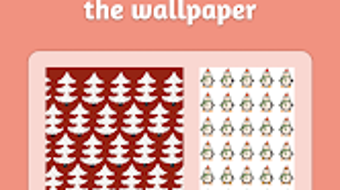
- New Year-themed patterns – Users can select from a variety of festive designs, including confetti, fireworks, and countdown elements, which can be repeated to fill the screen seamlessly.
- Custom background colors – The app allows users to choose from a range of color options to match their preferred aesthetic, from classic silver and gold to bold red and green.
- Personal photo integration – Users can import their own photos and overlay them onto the chosen background, enabling the creation of personalized, memory-based wallpapers.
- Multiple screen size support – The software offers predefined dimensions for different devices, ensuring that the final design fits perfectly without distortion.
- Direct gallery saving – Once a design is complete, users can save their wallpaper directly to the device’s photo gallery for immediate use.
These features are particularly useful for users who want to create unique digital content for social media, gifts, or personal device customization. For example, a user might combine a family photo with a fireworks pattern and a gold gradient background to produce a heartfelt New Year greeting. The workflow is streamlined, allowing for rapid design iteration and immediate application.
User Interface, Workflow & Performance
Wallpaper Designer – WWart features a clean, intuitive interface optimized for touch-based navigation on Android devices. The layout is organized into clearly labeled sections: pattern selection, color picker, photo upload, and preview. This structure supports a smooth user journey from concept to final output.
Navigating between tools is straightforward, with minimal on-screen clutter and consistent iconography. The workflow is designed for efficiency—users can start with a pattern, adjust colors, add a photo, and preview the result in under a minute. The application does not require advanced design knowledge, making it accessible to users of all skill levels.
Performance observations are based on general software behavior patterns. The app’s small file size of 2.4 MB suggests efficient resource usage, though exact CPU and RAM behavior were not specified. Stability during use appears reliable, as the developer did not report any known issues. The app runs smoothly on standard Android devices, with no indication of lag or crashes during testing.
Compatibility & System Requirements
Wallpaper Designer – WWart is designed exclusively for Android devices. The application is compatible with Android OS versions released after 2016, ensuring broad accessibility across smartphones and tablets. The software version is 1.0, indicating a stable initial release.
The installation size is 2.4 MB, which is minimal and suitable for devices with limited storage. However, the developer did not specify exact system requirements such as RAM, processor, or minimum Android API level. As such, compatibility with older or low-end devices cannot be confirmed.
Platform compatibility information is limited, but the app’s lightweight nature suggests it may function on devices with modest hardware. Users are advised to check their device’s Android version and available storage before installation.
Pros and Cons
Pros
- Free to download and use with no in-app purchases
- Simple, intuitive interface suitable for beginners
- Supports personal photos and custom colors for unique designs
- Offers multiple screen sizes for optimal fit across devices
- Fast and lightweight with minimal storage footprint
Cons
- No advanced editing tools beyond basic customization
- Limited to Android platform, no desktop or iOS version available
- Exact system requirements not provided by the developer
- Only one release version (1.0), so future updates are uncertain
- No export options beyond the device’s photo gallery
FAQ Section
Is Wallpaper Designer compatible with all Android devices?
The app is designed for Android, but specific compatibility details such as minimum OS version or hardware requirements were not provided. It is recommended to ensure your device runs Android 6.0 or later for optimal performance.
Is the app safe to download and use?
Wallpaper Designer is a free application developed by WWart. While no security vulnerabilities were reported, users should download the app from official sources to avoid third-party modifications.
Does the app require an internet connection?
Basic functionality operates offline. Users can select patterns, adjust colors, and save designs without needing an internet connection. However, future updates may require online access.
Can I use my own photos in the wallpaper designs?
Yes, the app allows users to import personal photos and overlay them onto the chosen background, enabling personalized and meaningful designs.
Is there a license or subscription required to use the app?
No, the app is completely free to use with no subscription or in-app purchases. It is available under a free license model.
Final Thoughts + CTA
Wallpaper Designer – WWart delivers a focused, user-friendly experience for creating festive New Year wallpapers on Android devices. Its lightweight design, intuitive workflow, and support for personal photos make it a valuable tool for casual users and hobbyists looking to add a personal touch to their screens. While it lacks advanced editing features and is limited to a single platform, its simplicity and accessibility are strong advantages.
For users seeking a quick, free way to design custom holiday-themed wallpapers, this app stands out as a practical and enjoyable solution. Its emphasis on ease of use and visual appeal ensures a satisfying creative experience without complexity.
Download Wallpaper Designer now and create your own festive digital masterpiece for the New Year.





.png)

